



Windows
Released: April 21, 2017
Price: $39.99
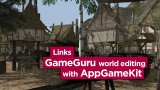
GameGuru Loader provides a great, efficient way to convert and load GameGuru levels into AppGameKit.
GameGuru Loader lets you link the easy building features of GameGuru with the smart coding commands of AppGameKit.
NOTE: Users will need to already own copies of both GameGuru and AppGameKit to use this DLC.
The DLC includes:
•GameGuru to AppGameKit Converter tool
•AppGameKit Tier1 source code that loads and displays the converted levels
GameGuru is an easy to use 3D game maker designed for making games for PCs. It has an easy to use editor allowing you to create 3D scenes for your games. Levels consist of 3D assets such as terrains, skies, vegetation and scenery objects like buildings and everyday objects. All these assets can be converted and then loaded in and displayed with the included AppGameKit Tier1 Script code.
GameGuru Loader allows you to go mobile too! As the game media in GameGuru is of a very high quality, it doesn't always perform well on mobile devices. However, GameGuru Loader includes a converter that can scan all your GameGuru media and convert it to a format ideal for mobile use.
GameGuru Loader uses a billboard system (flat sprites) to efficiently display the levels on mobile devices where 3D performance has to be carefully managed. Game objects smoothly transition between 3D objects into billboard version. You can also adjust the distance value where this transition occurs to gain even higher frame rates.
Discover GameGuru
http://store.steampowered.com/app/266310
GameGuru Loader Details
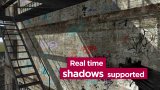
•Real-time cascade shadows
•Real-time water reflection and water movement
•Terrain light mapper for real fast mobile friendly shadows on the terrain
•Player flashlight supported
•Simple AI system supporting GameGuru waypoints
•Shaders for Normal and Specular mapping on objects and terrain
•Scaling of shaders - going from a simple basemap only terrain to a full terrain using normals, specular and water reflections
•Features can be enabled or disabled depending on your game target platform
NEW! Gameplay and AI added!
GameGuru Loader now comes with a simple game play system to give you a quick start on making your next own mobile FPS genre games. Use it as is or expand it to your needs.
•Enemy Characters can hold and shoot weapons
•Enemy Characters can fall and die
•The player can now shoot weapons
•The player can die when health is depleted
•Desktop First Person Shooter Mouse controls
•Mobile controls - virtual joystick and fire button
•Enemy shooting decals animations
•When the player is hit a decal animates
•Player gun cross-hair added
•Added sound effects
•Music for the game is supported
•Directional HUD damage effect
Terrain
What you see in GameGuru you will see in AppGameKit. The rock textures are calculated by the terrain normal values (just like GameGuru does).
Vegetation
The vegetation supports up to 10,000 objects per level - wherever you paint your vegetation in GameGuru this will be repeated in your AppGameKit version. There are AppGameKit settings for features such as Vegetation Spreading, Vegetation Distance and Vegetation Grid size.
SkyBox
The AppGameKit version supports a fully moving sky option. You can set the Horizon Colour value which is used by the fog to naturally fade.
Objects
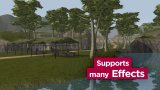
All static and dynamic objects will appear. They are also affected by linear fog and fade into sky-box when seen in the distance.
Post process shaders included with GameGuru Loader include;
•Bloom
•FXAA
•Lens flare
• Cartoon ( cel shading )
•Dither ( for retro looks )
•C64 ( for C64 retro look )
Post processing quality settings Very Low, Low, Middle and High
Post processing shaders can be combined in any way you like.
Use predefined scene colours such as "morning","night","day","day fog","night bright","desert", or define your own.
You can read more about GameGuru Loader by downloading the official user guide here.
Platforms
This DLC is for the Windows platform only. The GameGuru Loader source code can also be used on Mac & Linux platforms but the converter tool is currently only for Windows. There is documentation that explains how to convert on Mac & Linux manually using a third party tool called xnconvert.
IMPORTANT NOTE
Most of the default media included in GameGuru will work out of the box in GameGuru Loader. Some objects that are not yet supported by AppGameKit might have to be converted or changed in order for them to work correctly in AppGameKit.
This is sold "as is" with no guarantees, you receive the source code and are able to modify it as you wish; you can add missing functions or change the current function to fit your needs. As this is source code you must know AppGameKit Tier 1 BASIC Script in order to use it and make your games.
Sadly, there is absolutely no guarantee that you will be able to make every possible level display and work well on mobile devices. Most mobiles are restricted in memory and CPU/GPU speed compared to PCs. Smaller levels might be able to work if you use the reduced media and use the very lowest settings within GameGuru Loader. As mobile devices get faster and have more available memory you will be able to process larger levels and use better quality settings. GameGuru Loader already allows you to scale the quality up and down.
GameGuru Loader will continue to be improved in line with any developments made with GameGuru and we will release updates to you as they are developed.
GameGuru Loader lets you link the easy building features of GameGuru with the smart coding commands of AppGameKit.
NOTE: Users will need to already own copies of both GameGuru and AppGameKit to use this DLC.
The DLC includes:
•GameGuru to AppGameKit Converter tool
•AppGameKit Tier1 source code that loads and displays the converted levels
GameGuru is an easy to use 3D game maker designed for making games for PCs. It has an easy to use editor allowing you to create 3D scenes for your games. Levels consist of 3D assets such as terrains, skies, vegetation and scenery objects like buildings and everyday objects. All these assets can be converted and then loaded in and displayed with the included AppGameKit Tier1 Script code.
GameGuru Loader allows you to go mobile too! As the game media in GameGuru is of a very high quality, it doesn't always perform well on mobile devices. However, GameGuru Loader includes a converter that can scan all your GameGuru media and convert it to a format ideal for mobile use.
GameGuru Loader uses a billboard system (flat sprites) to efficiently display the levels on mobile devices where 3D performance has to be carefully managed. Game objects smoothly transition between 3D objects into billboard version. You can also adjust the distance value where this transition occurs to gain even higher frame rates.
Discover GameGuru
http://store.steampowered.com/app/266310
GameGuru Loader Details
•Real-time cascade shadows
•Real-time water reflection and water movement
•Terrain light mapper for real fast mobile friendly shadows on the terrain
•Player flashlight supported
•Simple AI system supporting GameGuru waypoints
•Shaders for Normal and Specular mapping on objects and terrain
•Scaling of shaders - going from a simple basemap only terrain to a full terrain using normals, specular and water reflections
•Features can be enabled or disabled depending on your game target platform
NEW! Gameplay and AI added!
GameGuru Loader now comes with a simple game play system to give you a quick start on making your next own mobile FPS genre games. Use it as is or expand it to your needs.
•Enemy Characters can hold and shoot weapons
•Enemy Characters can fall and die
•The player can now shoot weapons
•The player can die when health is depleted
•Desktop First Person Shooter Mouse controls
•Mobile controls - virtual joystick and fire button
•Enemy shooting decals animations
•When the player is hit a decal animates
•Player gun cross-hair added
•Added sound effects
•Music for the game is supported
•Directional HUD damage effect
Terrain
What you see in GameGuru you will see in AppGameKit. The rock textures are calculated by the terrain normal values (just like GameGuru does).
Vegetation
The vegetation supports up to 10,000 objects per level - wherever you paint your vegetation in GameGuru this will be repeated in your AppGameKit version. There are AppGameKit settings for features such as Vegetation Spreading, Vegetation Distance and Vegetation Grid size.
SkyBox
The AppGameKit version supports a fully moving sky option. You can set the Horizon Colour value which is used by the fog to naturally fade.
Objects
All static and dynamic objects will appear. They are also affected by linear fog and fade into sky-box when seen in the distance.
Post process shaders included with GameGuru Loader include;
•Bloom
•FXAA
•Lens flare
• Cartoon ( cel shading )
•Dither ( for retro looks )
•C64 ( for C64 retro look )
Post processing quality settings Very Low, Low, Middle and High
Post processing shaders can be combined in any way you like.
Use predefined scene colours such as "morning","night","day","day fog","night bright","desert", or define your own.
You can read more about GameGuru Loader by downloading the official user guide here.
Platforms
This DLC is for the Windows platform only. The GameGuru Loader source code can also be used on Mac & Linux platforms but the converter tool is currently only for Windows. There is documentation that explains how to convert on Mac & Linux manually using a third party tool called xnconvert.
IMPORTANT NOTE
Most of the default media included in GameGuru will work out of the box in GameGuru Loader. Some objects that are not yet supported by AppGameKit might have to be converted or changed in order for them to work correctly in AppGameKit.
This is sold "as is" with no guarantees, you receive the source code and are able to modify it as you wish; you can add missing functions or change the current function to fit your needs. As this is source code you must know AppGameKit Tier 1 BASIC Script in order to use it and make your games.
Sadly, there is absolutely no guarantee that you will be able to make every possible level display and work well on mobile devices. Most mobiles are restricted in memory and CPU/GPU speed compared to PCs. Smaller levels might be able to work if you use the reduced media and use the very lowest settings within GameGuru Loader. As mobile devices get faster and have more available memory you will be able to process larger levels and use better quality settings. GameGuru Loader already allows you to scale the quality up and down.
GameGuru Loader will continue to be improved in line with any developments made with GameGuru and we will release updates to you as they are developed.
1



© 2009-2026 Anthony Stahler
Post a review